Events
ErrorEvent
A message indicating a status change on the coffee machine. The meaning of the error numbers is described in a separate place. The numbers consist of error conditions as well as the disappearance of such error conditions. The ‘title’ field contains an english error message that describes the error condition related to the ‘error_number’. The ‘source_index’ may contain more details in case the component causing the error exists multiple times. For example when a bean hopper is removed, the ‘source_index’ will tell you, which bean hopper was removed (0 or 1). In these cases the ‘title’ will usually contain a ‘%1’ at the place where ‘source_index’ should be included.
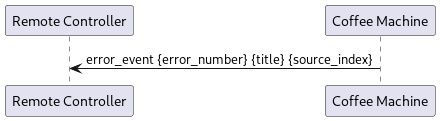
Parameter |
Type |
Description |
|---|---|---|
error_number |
uint32 |
Number identifying the error condition |
title |
string |
Text describing the error related to the error number |
source_index |
uint32 |
Index describing the source of the error in some more details |
ProductAvailabilityChanged
Event message indicating the changed availability of products. Unavailable products are still known on the machine, however when trying to the start such a product, the machine will report PRODUCT_NOT_AVAILABLE. The reason for a product not being available is usually something like an empty milk container, a boiler temperature that has not yet been reached. A corresponding ErrorEvent has then been sent as well. The field ‘product_ids’ will always contain a complete list of available products. Thus the unavailable products will be the list of products reported by ‘ProductList’ without those in the ‘ProductAvailabilityChanged’ message.
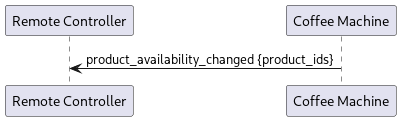
Parameter |
Type |
Description |
|---|---|---|
product_ids |
repeated string |
All the products which are available |
RinsingUpcoming
Informs in how many milliseconds the coffee machine is about to execute a rinse operation. During the rinse operation any attempt to start a product will return a SYSTEM_BUSY status.
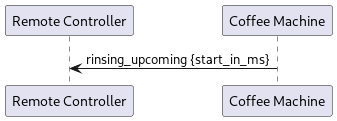
Parameter |
Type |
Description |
|---|---|---|
start_in_ms |
uint32 |
Number in milliseconds when rinse will be started |
RinseStarted
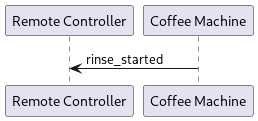
A rinse operation is imminent or was just started. In case of an automatically triggered rinse, the user is now presented with a warning dialog for 5s before the actual rinsing takes place. In case of a rinse triggered through the ‘ForceRinse’ message or by pushing the corresponding button on the UI, the rinsing is started simultaneously with this message.
Order
Informs about a change of an order. ‘Dispenser’ defines where the product is poured. ‘order_id’ is the unique identifier of an order. The product id of the product to be started

Parameter |
Type |
Description |
|---|---|---|
order_id |
string |
The unique identifier of this order |
product_id |
string |
The product id of the product associated with this order |
status |
string |
the status of the order (queued, processing, done, …) |
is_finished |
bool |
true, if product is finished (successful or unsuccessful) |
is_cancel_allowed |
bool |
true, if the cancel command is allowed |
is_confirm_allowed |
bool |
true, if the confirm command is allowed |
is_cancelled |
bool |
true, if cancel has been set |
is_confirmed |
bool |
true, if confirm has been set |
action |
OrderAction |
|
additional_information |
repeated AdditionalInformation |
Status
This indicates the current status of the order. Please note, the production of a product starts with Processing.
"WaitForConfirmation",  // order is pushed to the internal queue but not ready to be processed
"Queued",               // order is in the queue and ready to be processed (confirmed)
"Processing",           // order processing in progress
"Done",                 // order successfully processed
"Failed",               // order processing failed
"Cancel"                // order has been cancelled
OrderAction
When an order is in status Processing several Actions are executed until the product is finished. The action information can and should be used to display dialogs or similar user interface elements.
The context summarizes the individual actions.
If an order is not in the Processing status, the context has the value “NoContext” and the action has the value “NoAction”.
Contexts
The ordered product defines the possible actions and their sequence.
"Preparation",      // actions to be performed by the user beside the machine
"CupPlacement",     // cup placement actions
"Pouring",          // actions while pouring beverage
"Rinse",            // rinsing
"UserInteraction",  // required user interactions while pouring beverage
"Cleaning"          // cleaning
Actions
Preparation Action:
Additional action for preparing the beverage.
"FillIce",  // request to the user to fill ice in a cup (ice machine is not part of the coffee machine)
// product has to be labeled as iced (check product settings)
Cup Placement Action:
Action / Instruction for placing the cup below the outlet.
"WaitForConfirmation",  // cup handling required, no sensor available: request to place cup
"WaitForCup"            // cup handling required, sensor available: no or too small cup detected
Pouring Action:
Action executed while pouring the beverage.
"Pouring",  // product pouring is in progress
"Poured",   // product pouring is completed
"Finished"  // product is finished
Rinse Action:
Action / Instruction before or while rinsing.
"ScaldingPrevention" // information about upcoming rinse
User Interaction:
Instructions for the user when pouring the beverage.
"MilkRefillRequest",  // request to refill milk while product is in progress
// only possible when machine configuration 'Milk Level Empty Pause Milk Products' is activated
"MilkRefilled",  // response to `MilkRefillRequest`; milk refilled
                 // only possible when machine configuration 'Milk Level Empty Pause Milk Products' is activated
"MilkWandEmpty"  // milk wand reports empty milk container
                 // only possible when machine configuration 'Milk Level Empty Pause Milk Products' is activated
Maintenance Action:
MaintenanceSteps to instruct the user for the maintenance process.
MaintenanceStep |
Condition |
Description (Proposal) |
|---|---|---|
CleanBeanHopper |
Remove and empty the bean hoppers. Clean the bean hoppers thoroughly with warm water and soap. |
|
CleanFridgeInside |
Clean the inside of the fridge thoroughly with warm water and soap. |
|
CleanGroundsDrawer |
Remove the grounds drawer. Clean the grounds drawer thoroughly with warm water and soap. Dry it completely before putting it back in. |
|
CleanMilkContainer |
Clean the milk container thoroughly with warm water and soap. |
|
CleanMilkTube |
Clean the milk tubes and sensors using a cloth or sponge dampened with warm soapy water. |
|
CleanProductOutlet |
If you have a manual outlet move it to the top. Remove outlet block. Clean outlet block with warm water and soap. Re-install the outlet block. |
|
CleanRubberMat |
Flavor active |
Remove rubber mat and clean with a soap water solution. Re-insert rubber mat. |
EmptyMilkCleaningContainer |
Remove the cleaning container from the refrigerator and then empty it. |
|
EmptyMilkContainer |
Remove all milk containers from the fridge and empty them. |
|
EmptyWasteTankAndCleanSensor |
Empty the external waste tank and clean the sensor with a damp cloth. Re-install the sensor and place the emptied waste tank back. |
|
InitDialog |
(Only when forcing a cleaning over the machine UI) |
Use optional cleaning when you are going to shut down the machine for any length of time. All parts of the machine are going to be cleaned thoroughly. Do you really want to start optional cleaning? |
InsertCleaningContainer |
Flavor active |
Place cleaning container with hot water into the flavor drawer. Place the reserve flavor tube in the cleaning container. Couple the flavor tube to the intake hoses. Close flavor drawer. |
InsertCoffeeCleaningTablet |
Request to insert a coffee cleaning tablet into the coffee cleaning key and reinsert the key |
|
InsertFlavorBottles |
Flavor active |
Open flavor drawer. Uncouple flavor tube with intake hoses. Remove cleaning container with reserve flavor tubes. Place flavor bottles in the flavor drawer right sequence. Couple the flavor tube to the intake hoses. Close flavor drawer. |
InsertGroundsDrawer |
Insert the empty grounds drawer. |
|
InsertGroundsDrawerAndDripTray |
Insert the empty grounds drawer and drip tray. |
|
InsertMilkCleaningContainer |
Place the cleaning container in the refrigerator and position the milk tubes inside the container. Make sure the refrigerator door remains open during the cleaning process. |
|
InsertMilkCleaningTablet |
Insert two milk cleaning tablets into the blue milk cleaning key. Make sure that the tablets are not damaged. Re-insert the key into the machine. |
|
InsertMilkContainer |
Place the milk container in the refrigerator and ensure that all milk tubes are positioned inside the milk container. |
|
PowderCleanFilter |
Powder active |
Clean filter pad and filter drawer with clean water and dry off. |
PowderCleanMixerParts |
Powder active |
Clean mixer lid, powder chute and mixer with clean water and dry off. |
PowderRemoveCover |
Powder active |
Pull the cover of the powder module away to the front, and remove. |
PowderReplaceCover |
Powder active |
Remount cover of the powder module. |
PowderTurnChuteDownward |
Powder active |
Take powder chute out. Turn powder chute downwards. Insert powder chute. |
PowderTurnChuteUpward |
Powder active |
Take powder chute out. Turn powder chute upwards. Insert powder chute. Prevents powder from falling into the hopper during the cleaning process. |
PutCleaningContainerUnderneathOutlet |
Flavor active |
Place cleaning container under the beverage outlet. |
PutContainerUnderWand |
MilkWand active |
Pull out the milk lance. Place the container together with the lance back on the drip tray and make sure the lance is located inside the container. Caution: Use the original delivered cleaning container. |
RemoveCoffeeCleaningKey |
Turn the coffee cleaning key (red) 90° counterclockwise and then pull it out. |
|
RemoveGroundsDrawer |
Remove and empty the grounds drawer. |
|
RemoveMilkCleaningKey |
Turn the milk cleaning key (blue) 90° counterclockwise and then pull it out. |
|
Rinse |
MilkWand active |
Caution machine is rinsing. Risk of scalding from hot water beneath the outlet. |
Running |
The automatic steps of the current maintenance process (e.g. cleaning) are running |
|
StandBy |
The device is in standby mode. Confirming the dialog will exit standby mode, and the cleaning process can continue. |
|
StartCleaning |
For a manual outlet, slide it to the lowest position. The coffee machine is prepared for cleaning. Once the process has been started, it can no longer be canceled by the user. Start cleaning now? |
|
SwitchOffFridge |
Remove the drip tray and turn off the refrigerator. Then, reinstall the drip tray. Make sure the refrigerator door remains open during the cleaning process. |
|
SwitchOnFridge |
Remove the drip tray and turn on the refrigerator. Then, reinstall the drip tray. |
|
WaitToFillUpCleaningContainer |
Flavor active |
Hot water will be output. |
WaitToPrimeTubes |
Flavor active |
Flavor hoses will be filled. |
WaitToPumpDryTubes |
Flavor active |
Flavor hoses are emptied. |
WarnUserForUpcomingRinse |
MilkWand active |
Carefully clean and wipe the entire outside from the milk lance with an appropriate cleaning cloth. Make sure to have cleaned the milk lance thoroughly and to have removed all non-dairy alternative residues. Follow the cleaning instructions as shown on the screen after Contamination Rinse. |
Additional information
Additional information are sent along with the order actions. It is a list of key-value pairs
where the key is of type string and the value either of type double or string.
The Additional information are added to enrich an action information. They are usually sent only once.
They have to be stored on client side if necessary.
"ActionDeadline",    // Absolute time [s] when processing action (e.g. milk refill) expire
"ActionDuration",    // Maximum duration [s] of processing action (e.g. milk refill).
"CupDetected",       // The currently detected cup is too small. Possible value: "tooSmall"
"MaintenancePhase",  // Indicating the current phase of the maintenance process. Possible value:
                     // "Preparing, PreProcessing, Automatic, PostProcessing"
"Progress"           // The progress status of the current operation in percent.
OrdersRemoved
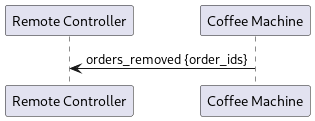
Informs about the orders that have been removed from the machine. The list contains UUIDs.
Parameter |
Type |
Description |
|---|---|---|
order_ids |
repeated string |
Returns the id which are not valid anymore |
Setting
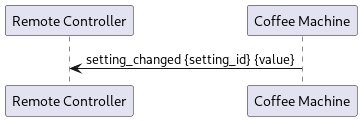
Informs about an setting update
Check GetSetting to see all the available setting ids
Parameter |
Type |
Description |
|---|---|---|
setting_id |
uint32 |
Id of the setting which change |
value |
string |
Update value of the setting |