Commands
StartProduct
Request to start pouring a new product
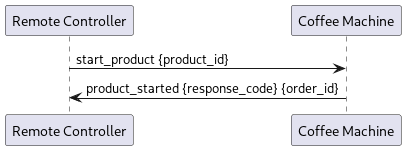
Parameter |
Type |
Description |
|---|---|---|
product_id |
string |
Unique id of a product which should be poured |
cancel_delay_s |
double |
deprecated |
response_code |
ResponseCode |
Shows if the command what successful or not |
order_id |
string |
To identify the order and listen to it |
StartProductCategoryByName
Request to start pouring a new product category
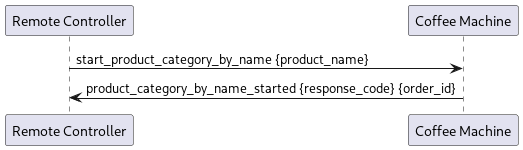
Parameter |
Type |
Description |
|---|---|---|
product_name |
string |
Name of the product category |
cancel_delay_s |
double |
deprecated |
response_code |
ResponseCode |
Shows if the command what successful or not |
order_id |
string |
To identify the order and listen to it |
GetProductList
Request to get a list of all known products with their ids and product names.
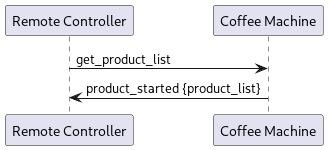
Parameter |
Type |
Description |
|---|---|---|
response_code |
ResponseCode |
Shows if the command what successful or not |
product_list |
map<string, string> |
Returns a map of products. The key contains the product names as shown on the UI and the contains the product id needed by the ‘StartProduct’ message |
GetAvailableProductIds
Request to get a list of all available product ids.
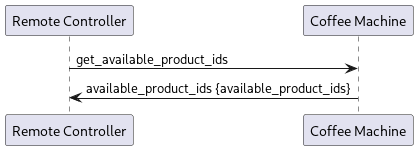
Parameter |
Type |
Description |
|---|---|---|
response_code |
ResponseCode |
Shows if the command what successful or not |
available_product_ids |
repeated string |
Returns a list of all the available product ids |
GetActiveEvents
Request to get a list of all active events.
Check ErrorEvent to see all the returned values
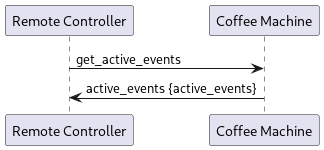
Parameter |
Type |
Description |
|---|---|---|
response_code |
ResponseCode |
Shows if the command what successful or not |
active_events |
repeated ErrorEvent |
list contains tuples of the number, title and source index of events |
ForceRinse
Request to force a rinse now.
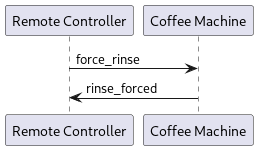
Parameter |
Type |
Description |
|---|---|---|
response_code |
ResponseCode |
Shows if the command what successful or not |
PostponeRinse
Request to postpone the next upcoming rinse by the specified number of milliseconds.
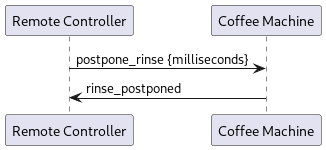
Parameter |
Type |
Description |
|---|---|---|
milliseconds |
uint32 |
Number of milliseconds the next rinse is postponed. PostponeRinse command can be executed maximum three times, after that the coffee machine will perform the rinse. |
response_code |
ResponseCode |
Shows if the command what successful or not |
GetSwVersion
Request to get the current SW version.
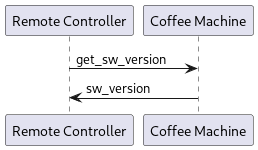
Parameter |
Type |
Description |
|---|---|---|
response_code |
ResponseCode |
Shows if the command what successful or not |
sw_version |
string |
software version |
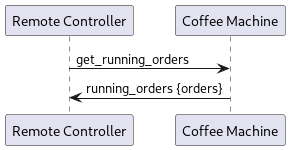
GetRunningOrders
Get the running orders
Check Order to see all the returned values
Parameter |
Type |
Description |
|---|---|---|
response_code |
ResponseCode |
Shows if the command what successful or not |
orders |
repeated Order |
Information about the running orders |
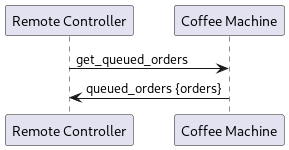
GetQueuedOrders
Get the queued orders
Check Order to see all the returned values
Parameter |
Type |
Description |
|---|---|---|
response_code |
ResponseCode |
Shows if the command what successful or not |
orders |
repeated Order |
Information about the queued orders |
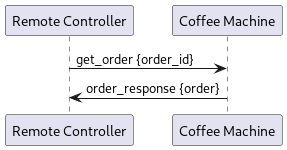
GetOrder
Get the order to the requested id
Check Order to see all the returned values
Parameter |
Type |
Description |
|---|---|---|
order_id |
string |
To identify the order and listen to it |
response_code |
ResponseCode |
Shows if the command what successful or not |
order |
Order |
Information about the requested order |
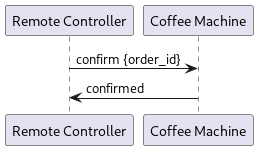
Confirm
Confirm order with id
Parameter |
Type |
Description |
|---|---|---|
order_id |
string |
To define to which order the confirm is send |
response_code |
ResponseCode |
Shows if the command what successful or not |
Cancel
Cancel order with id

Parameter |
Type |
Description |
|---|---|---|
order_id |
string |
To define to which order the cancel is send |
response_code |
ResponseCode |
Shows if the command what successful or not |
StartCleaning
Cancel order with id
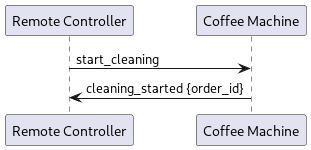
Parameter |
Type |
Description |
|---|---|---|
response_code |
ResponseCode |
Shows if the command what successful or not |
order_id |
string |
To identify the order and listen to it |
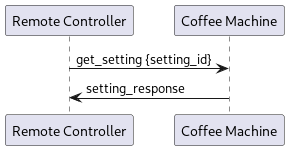
GetSetting
Get the setting with the requested id. Dependent on the machine type and its configuration, a setting
may not be available. In such cases, the response code
SETTING_ID_NOT_AVAILABLE is returned.
List of available settings:
AmbientWaterFeature = 0,        // value range: ["true", "false"] (only BW4)
AutoOutletFeature = 1,          // value range: ["true", "false"]
BeanDetectionFeature = 2,       // value range: ["true", "false"]
CupDetectionFeature = 3,        // value range: ["true", "false"]
ExternalWaterDrainFeature = 4,  // value range: ["true", "false"]
FlavorFeature = 5,              // value range: ["true", "false"]
FlavorPipeLength = 6,           // number as string in meters     (only if flavor enabled)
FridgePipeLength = 7,           // number as string in meters     (only if milk enabled)
GroundsChute = 8,               // value range: ["true", "false"]
MilkInBagFeature = 9,           // value range: ["true", "false"] (only if milk enabled)
MilkWandFeature = 10,           // value range: ["true", "false"] (only BW4 and if milk enabled)
NsfCompliantCleaning = 11,      // value range: ["true", "false"]
PowderFeature = 12,             // value range: ["true", "false"]
PowerConfiguration = 13,        // value range: [ThreePhase_16A = "0", SinglePhase_16A = "1",
                                //               SinglePhase_13A = "2", SinglePhase_24A = "3"] (only BW4)
SecondMilkSource = 14,          // value range: ["true", "false"] (only if milk enabled)
SingleGrinderFeature = 15,      // value range: ["true", "false"]
UnderTableFridge = 16,          // value range: ["true", "false"] (only BW4 and if milk enabled)
Parameter |
Type |
Description |
|---|---|---|
setting_id |
string |
To identify which setting is requested |
response_code |
ResponseCode |
Shows if the command what successful or not |
setting |
Setting |
Infos about the requested setting |
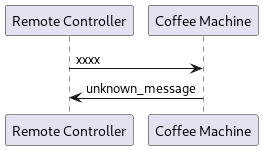
UnknownMessage
The remote control service has received a message with a message id that is not currently supported.
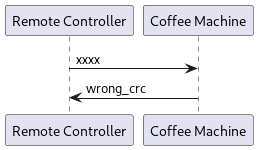
WrongCrc
The remote control service has received a message with an invalid CRC value. No operation was executed.
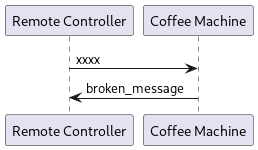
BrokenMessage
The remote control service has received a message with a valid CRC value but the contained message could not be parsed according to this protobuf description
ResponseCode
Value |
Description |
|---|---|
UNKNOWN_RESPONSE_CODE |
Place holder for protobuf |
SUCCESS |
The request succeeded |
INVALID_PARAMETER |
One of the given parameters is invalid |
DBUS_ADAPTER_ERROR |
A failure occurred in the communication between the remote API component and the application |
GENERAL_ERROR |
The request failed due to not further specified issues |
SYSTEM_BUSY |
The application is currently completing another request and can’t execute this request |
UNKNOWN_PRODUCT_ID |
The product id specified in a request is not known |
PRODUCT_NOT_AVAILABLE |
The product is known but cannot be poured at the moment |
PRODUCT_ID_NOT_POURING |
The product ID requested to cancel is not pouring at the moment |
MAX_POSTPONE_NUM_REACHED |
The maximum number of rinse postponements is reached |
NO_RINSING_UPCOMING |
No rinsing is upcoming and thus nothing will be postponed |
SETTING_ID_NOT_AVAILABLE |
The setting id is known but it is not applicable for this machine type |
Deprecated Commands
- CancelProduct
Use cancel instead
- GetNSFCompliantCleaning
Use GetSetting instead